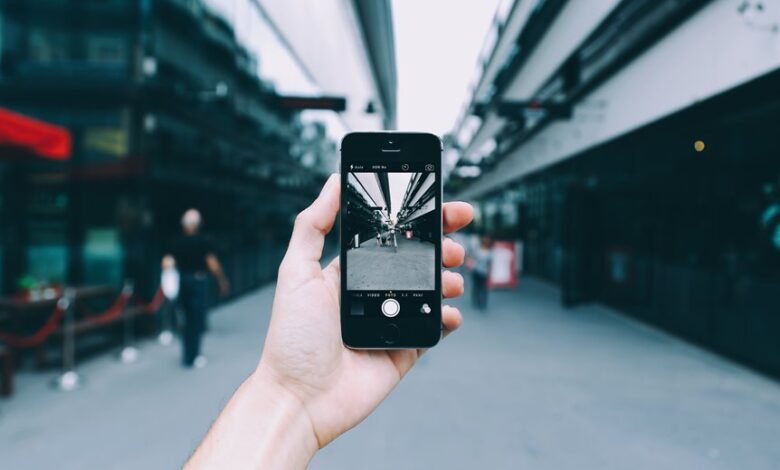
Smartphone photography benefits from controlled light, deliberate composition, and reliable focus. The approach favors natural, diffuse illumination and careful exposure adjustments to preserve color accuracy. Simple composition rules guide framing, while tap-and-hold focus techniques stabilize sharpness. Consistent metering, ISO control, and histogram awareness minimize noise and blur. Built-in features and quick post-processing offer additional gains. A practical path forward awaits, promising sharper, more repeatable results once these fundamentals are mastered.
How to Nail Natural Light for Smartphone Photos
Natural light is the baseline for smartphone photography because it provides consistent color and dynamic range across scenes. The technique emphasizes controlled exposure, white balance, and timing to minimize smartphone shadows. A disciplined workflow tests light angles, avoids harsh midday glare, and leverages diffuse sources. This approach delivers reliable renders, scalable across subjects, while preserving freedom to compose with confidence.
Master Composition With Simple Rules
Mastering composition begins with simple, repeatable rules that apply across subjects and lighting. These principles emphasize composition basics, guiding placement and balance.



The rule of thirds provides grid-based anchors, while attention to lighting quality shapes mood without complexity. Respect the golden hour’s gentleness to enhance form.
Implement quickly, iterate, and value freedom through disciplined, studio-tested framing.
Get the Right Exposure and Focus Every Time
Achieving proper exposure and precise focus on a smartphone camera hinges on reliable, repeatable adjustments and device fundamentals. The technique emphasizes consistent metering, ISO control, and shutter timing for exposure tips, while autofocus behavior and manual focus modes secure sharpness. Apply focus tricks with deliberate tap-and-hold for lock and reevaluation; confirm histogram balance and minimal motion blur.
Unlock Built-In Camera Features and Hacks
Smartphone cameras offer built‑in features and hacks that extend beyond basic exposure and focus. The section details accessible controls, discreet adjustments, and workflow shortcuts that empower autonomous capture.
Writers examine unlock features and photo hacks, emphasizing display settings and quick processing tricks. Coupled with test benchmarks, these options enable precise framing, color consistency, and efficient postflight workflows without external tools.
Troubleshooting Common Smartphone Photo Problems
When smartphone photos fall short, the root causes often lie in exposure, focus, noise, or color balance rather than in the scene itself. This section catalogues persistent issues with practical fixes: controlled lighting, manual focus when possible, ISO adjustments, and white balance checks.
Common problems include blurred backgrounds and overexposed selfies, mitigated by steadying the device and tone-mapping careful edits.
Frequently Asked Questions
How Can I Blur Backgrounds Without Buying New Gear?
The answer: To blur backgrounds without new gear, leverage depth-of-field tricks and post-processing, emphasizing natural background blur. In portrait lighting conditions, adjust ISO and exposure, use grid composition, and apply selective blur for studio-tested, freedom-oriented results.
What Apps Boost Smartphone Photo Quality the Most?
Apps boost photo quality by leveraging RAW processing, noise reduction, and HDR algorithms; studio-tested configurations optimize dynamic range, sharpness, and color fidelity. The approach suits users seeking freedom, delivering practical, technical improvements without hardware upgrades.
How Do I Shoot Sharp Photos in Low Light Secretly?
To shoot sharp photos in low light secretly, one seeks steady control: secret exposure, stealth stabilization, steady posture, silent shutter, low ISO, deliberate metering, minimal motion, rapid focus lock, tripod or monopod, and post-processing bias toward clarity.
Can I Shoot RAW on My Phone, and Why Bother?
Yes, many phones support raw capture; it preserves sensor data for greater latitude. Raw capabilities vary by device and file formats; benefits include extended dynamic range and color science, enabling non-destructive adjustments while maintaining future-proofed edits for freedom.
What Accessories Actually Improve Smartphone Photography?
Accessories that actually help include lighting accessories and stabilization gadgets; practical testing shows consistent gains in low light and handheld sharpness, with minimal bulk. For freedom-seeking creators, these tools yield reliable, studio-like results without sacrificing mobility.
Conclusion
In sum, smartphone photography hinges on disciplined light, composition, and controlled exposure. When subjects are framed with the rule of thirds and softened edges during golden hour, images feel deliberate rather than accidental. Lock focus, tap-and-hold to fine-tune, and monitor exposure to preserve color and detail. Anticipating skepticism about device limitations, the conclusion asserts that consistent metering, ISO control, and smart post-processing yield studio-tested results, regardless of phone model.